Royal X Casino Download APK Latest Version For Android 2026
Royal X Casino Download is the starting point for users who want to install the casino-style gaming app on a compatible device. This page covers the download process, Android installation, account access, and common setup issues.

Check the app file and your device before you begin. Then follow the installation prompts and use the app’s own screens to explore its available features.
Visit the Royal X Casino homepage to learn more about the app’s main features and game selection.
How to Download Royal X Casino
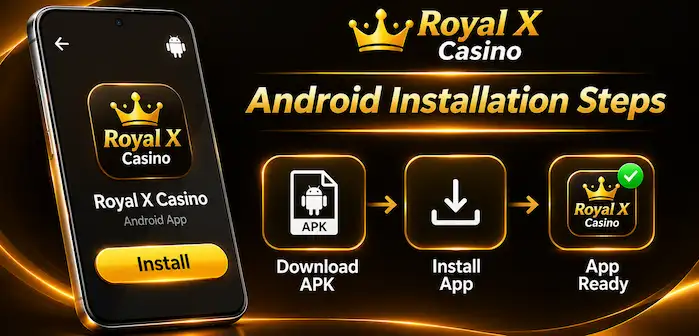
Use these steps to download the app on an Android device:
If your device shows a warning or blocks the file, stop and read the message. Check the file source before you continue. Do not install a file from an unknown source or use a modified copy to bypass a warning.
Before You Install
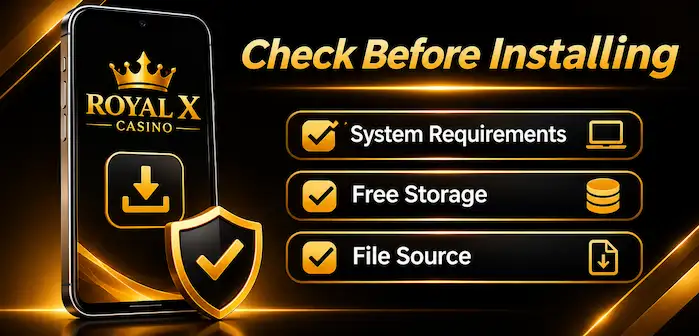
Check your device before you start the setup process. Make sure it meets the app’s listed system requirements and has enough free storage. Keep your device software up to date, and close apps you do not need during installation. Review the app file before opening it. Check its name and source, and make sure it matches the file you meant to download. If the details do not match, do not install it. Use the app’s stated download source and avoid files that promise extra features or altered access.
How to Install the App on Android
After the file finishes downloading, open it from your Downloads folder or browser download list. Your device will show the installation screen. Read the prompts and review any permissions before you continue. If Android asks for permission to install from that source, check the source and the setting before you allow it. Start the installation and wait for it to finish. When the app appears on your device, open it and follow the on-screen prompts. If the installation stops, read the message on your device and check the app’s listed requirements. Do not try to force the setup with a modified file.
Open the App and Sign In
After installation, open the app from your device. Use the account section if you already have an account. Enter your sign-in details and follow the prompts. Keep your password and any verification code private. New users can follow the registration steps shown in the app. Enter the details it requests and review the terms shown during setup. Use accurate information where required. If you cannot sign in, check the details you entered and use the account-recovery steps provided in the app.
After setup, follow the Royal X Casino Login steps to access your account.
Explore the Game Selection
The game section lets users browse the titles available to their account. Open a title to review its format and rules before you start. The list shown in the installed app is the best way to check which games are available. Do not assume a title is included based on a name or image seen elsewhere. Read the game details and any terms shown on the screen. Set a limit for both time and spending before you play. Casino-style games involve risk and do not provide a guaranteed way to earn money.
Device Support and Access
Check the app’s stated device requirements before you install it. An Android installation file does not work as an iPhone app. PC or browser access depends on the options the service provides. Use only the access methods listed with the app. If the app does not open, check that your device meets the listed requirements. Make sure the installation finished and that your device has enough free space. If the problem continues, use the app’s stated support process instead of installing a file from an unknown source.
For computer access, review the PC access options and check the listed system needs.
Common Download and Installation Issues
The file will not open
Check that the file finished downloading and that you opened the correct file. Review the device requirements and file source. If it still will not open, do not rename it or use a modified copy to force installation.
The installation stops
Check your device’s available storage and confirm that it meets the app’s requirements. Read any message shown during setup. If your device blocks the file, review the source and the reason for the warning before taking further action.
The app does not start
Restart your device and try opening the app again. Check for an error message. If the issue remains, use the support option provided with the app. Avoid unofficial updates or modified files that claim to fix the issue.
Login does not work
Check the account details you entered and follow the recovery steps shown in the app. Keep passwords and verification codes private. Do not share them in public posts or chats.
Safety Checks Before Installing
Check the file source and app details before you install. Review the permissions shown during setup, and do not continue if you do not understand a request. Keep your device software up to date and protect your account details. Casino-style gaming carries financial risk. Set a firm limit and stay within your budget. Do not treat gaming as income or try to recover losses through more play. Use gambling features only if you meet the legal age in your location.
Frequently Asked Questions
Final Overview
Royal X Casino Download gives users a clear path through the download and setup process. Check the app file and device requirements, follow the installation prompts, and use the app’s own account and game sections after setup. Add the verified download destination and confirmed app details to this page before publishing, so visitors can find the correct file and review its requirements.