
Royal X Casino Login
Royal X Casino Login is the starting point for users who already have an account and want to access it. The sign-in process may vary by app version and supported device.
Before entering any details, make sure you have opened the app or access option you intended to use. Use your own account information and keep it private. If you are new to Royal X Casino, review the account setup details before trying to sign in.
Learn more about Royal X Casino and its available features on the homepage.
How to Log In to Royal X Casino
Follow these steps to access your account through a supported option:
The exact button names and order may vary by version. Follow the prompts shown in your current app or supported access option.
Check Your Account Details
Correct account details help prevent avoidable sign-in problems. Use the same login information you set during registration, and check for typing errors before submitting it. Pay attention to capital letters, spaces, and any saved autofill details. If you use a password manager, confirm that it has selected the right account. Never share your password or verification code with another person, even if they claim they can help you sign in.
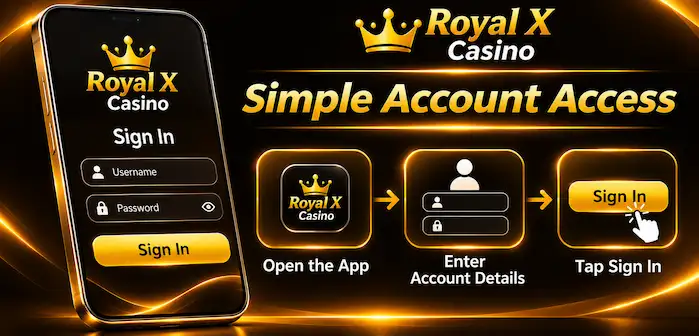
Royal X Casino Login on Android
On Android, open the app from the device where you installed it and use the sign-in option shown on its screen. If the app does not open or the login area fails to load, close it and try again. Check your internet connection and confirm that your device can run the installed version.
If you need to review installation details first, visit the published Royal X Casino Download page. Use only a download source you trust, and do not install files from unknown messages or pop-ups.
Royal X Casino Login on PC
PC access depends on the options supported by the service. If you have a supported way to open Royal X Casino on your computer, use its sign-in screen and enter your own account details. Do not assume that a separate Windows app or browser login exists unless the service confirms it.
For more information about checking PC access options, visit the published Royal X Casino for PC page.
Common Royal X Casino Login Problems
A login issue can come from incorrect account details, a weak connection, an app error, or a service-side problem. First, check your connection and re-enter your details with care. If the app freezes, close it and reopen it. You can also restart your device and try again. If the screen shows a specific error, follow the instructions provided there. Avoid repeated attempts if the app warns that they may lock or restrict access.
What to Do If You Cannot Access Your Account
If you cannot sign in, look for an account recovery option within the app or supported access page. Use it only if it is part of the service’s genuine sign-in flow. If no recovery option appears, check the service’s verified support information for the next step. Do not share passwords, payment details, or verification codes with anyone offering unofficial recovery help. If you no longer control the email address or phone number linked to your account, use the service’s stated account-support process.
Keep Your Account Details Secure
Use a password that you do not use for other accounts, and keep it private. Sign out when using a shared device, and avoid saving your login details on a computer that other people can access. Do not follow sign-in links sent by unknown accounts. Instead, open the app or a trusted access route yourself. These simple checks can help protect your account details while you use supported access options.
Frequently Asked Questions
Where do I find the Royal X Casino Login option?
Open the app or a supported access option and look for its sign-in area. The exact location and label may vary by version.
Can I use the same account on Android and PC?
That depends on the access options and account rules supported by the service. Check the sign-in instructions for each device before trying to use the same account.
What should I do if my login details do not work?
Check for typing errors and confirm that you are using the details linked to your account. If the issue continues, use the service’s in-app recovery or verified support process.
Is it safe to sign in on a shared device?
A shared device carries more risk. If you must use one, do not save your login details and sign out when you finish.
Final Overview
Royal X Casino Login gives existing users a way to access their account through supported options. Use the sign-in instructions shown on your device, check your details before submitting them, and protect your account information. If access fails, start with basic connection and app checks, then use the service’s own recovery or support process.