
Royal X Casino Register
Royal X Casino Register is for users who want to create an account and access Royal X Casino through a supported option. Before you begin, check that the app or access page is genuine and available in your region.
Registration steps and required details may vary by version. Use your own information, read the on-screen terms, and make sure you understand the account rules before continuing.

Learn more about Royal X Casino, its features, and available access options on the homepage
How to Register on Royal X Casino
Follow the instructions shown in the app or supported access option. The exact fields and button names may differ.
Do not share passwords or verification codes with anyone. If a step or field is unclear, check the service’s own instructions before submitting your information.
Check Before Creating an Account
Before you register, confirm that the service is available to you and that you meet its stated eligibility requirements. Read the terms and any rules about account use. Use accurate details and check each field for typing errors. If the registration screen requests information you do not understand or cannot verify, stop and review the service’s instructions rather than guessing.
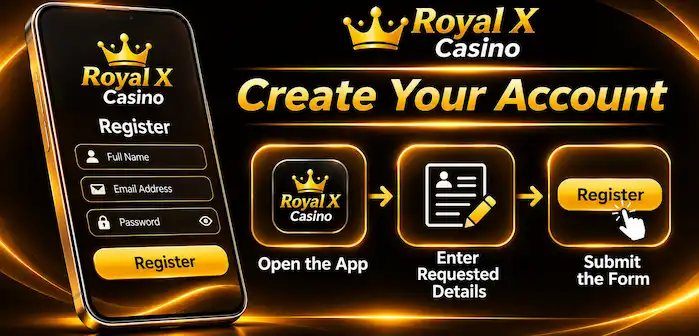
Royal X Casino Registration on Android
On Android, open the app you installed and look for its registration option. Follow the steps shown on the screen and check your entries before you submit them.
If you have not installed the app yet, review the published Royal X Casino Download page for installation information. Use a trusted source and avoid files shared through unknown messages or pop-ups.
Royal X Casino Registration on PC
PC registration depends on the access options supported by the service. If a supported PC option provides a registration screen, follow its instructions and use your own account details. Do not assume that a separate Windows app or browser registration is available unless the service confirms it.
Visit the published Royal X Casino for PC page to review PC access options.
Account Details and Password Safety
Choose a password that is hard to guess and keep it private. Avoid reusing a password from your email, social media, or other accounts. Do not save your details on a shared device, and sign out when you finish using one. Royal X Casino will not need you to share your password with another person to complete ordinary account setup. Treat unexpected requests for passwords or verification codes with care.

Registration Problems and What to Check
If registration does not work, first check your internet connection and review the details you entered. Make sure each required field is complete and follows the instructions shown on the screen. If the app freezes, close it and try again. When an error message appears, follow the instructions provided by the service. Avoid repeated attempts if the screen warns that they may restrict access.
After You Register
Once the service confirms that your account is ready, use the sign-in option to access it. Keep your account details secure and review the available account settings.
If you need help signing in later, visit the published Royal X Casino Login page. For general information about the app, return to the Royal X Casino homepage.
Frequently Asked Questions
How do I register on Royal X Casino?
Open a supported access option, find its registration section, and follow the instructions shown. The exact steps may vary by version.
What details do I need to register?
The required details depend on the registration form provided by the service. Enter only accurate information requested within the trusted sign-up flow.
Can I register on PC?
PC registration depends on the options supported by the service. Check the available access route before entering account details.
What should I do if registration fails?
Check your connection and the information you entered. If the problem continues, follow the service’s error instructions or use its verified support process.
Final Overview
Royal X Casino Register explains the basic process for starting an account through a supported access option. Check the service’s requirements, enter accurate details, and follow the instructions shown on your screen. Keep your password and verification codes private. Once registration is complete, use the published Login page for sign-in steps and the Homepage for general information.